MAD MAPPER
MAGIC PEN for MAC
MAKE PAGES
MAKE HUMAN
MAGIX
MASSIVE
MASTERS of MOTION
MATTE PAINTING
MAXON
MEDIA 100
MODELLING and SCULPTING
MOTION GRAPHICS
MOVING PICTURE
MADMAPPER
MadMapper in it’s core is an intuitively simple and easy tool for creating video mapping projections. It removes a lot of the confusion related to this medium, effectively demystifying the process and allows you, the artist or designer to focus on creating your content instead of solving technical difficulties and makes the experience of mapping textures to physical objects in real time fun. Using real projects created with MadMapper as an example, we will give you an overview of its different features and user interface.
Visution Mapio is a powerful solution for creating projection shows. Now you can work not only with the standard screen, but also with any inclines, including cylindrical and spherical and various shapes. Unlimited slices will allow you to separate videos to cover any space. You can use multiple projectors to organize panoramic and 3D scenes.
MAGIC PEN for Mac
MAKE PAGES
I created the original content for MakePages.com many years ago when the web was young and people were just learning to create web pages. I offered tutorials on older versions of Flash, HTML, CSS, and JavaScript. These are all now outdated and more up-to-date examples are readily found elsewhere.
MAKE HUMAN Open Source tool for making 3D characters.
See also Lighting and Rendering Post
Toolbag is a full-featured real-time rendering, animation, and baking suite, providing artists a powerful and efficient workflow for all stages of production.
Viewer delivers WebGL-powered 3D rendering to the web, from desktop to mobile. Export directly from Toolbag to showcase your artwork in interactive 3D for all to see!
MAGIX
VEGAS PRO The VEGAS range of creative software is all you need for fast, professional and efficient video production, and brings a whole new level of creative freedom to your editing and post production. VEGAS delivers fantastic results and allows everyone – from every day enthusiasts to busy professionals – to focus on creativity without limits.
MASSIVE
Simulating Life | Massive was originally developed for use in Peter Jackson’s The Lord Of The Rings film trilogy. Subsequently the company Massive Software was created to bring this technology to film and television productions around the world. Since then Massive has become the leading software for crowd related visual effects and autonomous character animation.
Stephen Regelous | Founder and CEO
In 2004, Stephen received an Academy Award for Scientific and Engineering Achievement for the design and development of Massive, an industry-first system utilizing AI-driven autonomous agents to generate animation. Stephen conceived of the basic concepts for the software in the early 90s after studying Artificial Life agent based systems, and developed Massive years later for The Lord of the Rings trilogy, where Massive transformed audience expectations for epic crowd and battle scenes in feature film and television. Stephen began his software career writing solutions for particle animation muscle based facial animation, morphing and and an L-system used to synthesize plant life which has been widely used in the motion picture industry. Stephen was named one of the top 50 New Media Producers and Innovators by the Producers Guild of American, and nominated for a World Technology Award which recognizes high levels of innovation in the fields of biotechnology, space, energy and design.
MASTERS of MOTION
Masters of Motion is a non-for-profit website, social media channel, and podcast that provides the world with a insight into the Australian and New Zealand animation industry. Comprising of an online gallery featuring outstanding motion design, animation and visual effects work. Our mission is to celebrate Australia’s motion artists and to inspire the next generation of motion designers, animators, visual effects and 3-D artists.
MATTE PAINTING
VUE, a 3D scenery generator software package.
MAXON
YOUTUBE
Cinema 4D vs. Blender: Choosing the Right 3D Software
YOUTUBE VFX
Welcome to Motion Lab
The world’s largest 3D asset library for VDBs and VFX Elements!
New “Template of Doom” Face-Melting VFX Tutorial
Maxon releases a surprise June 2022 update to Maxon One toolset
New MAXON Updates
Interview with Cart and Horse About Virtual Production and Unreal
BODYPAINT 3D
BodyPaint 3D now uses OpenGL so you’ll immediately see a fantastic preview when painting color, reflectance, alpha, bump or normals and even displacement. When working in a physically-based shading workflow, you can now paint on every reflectance channel with a full preview that utilizes R19’s Screen Space Reflections. Projection painting is fully multi-threaded and for faster translation of brush strokes onto your model.
CINEMA 4D
NAB Show New York 2019: Free Cinema 4D Training
Interview with Motion Designer Christopher “Topher” Schultz about His VDB Contest Winning Entry
Free C4D Superhero Character Rig + New Contest
Growing a Future
Maxon One Integrates Redshift with ZBrush, Optimises Trapcode Particles
Creating an Action Animation Short in 3 Weeks
s we all know, creating animations can be an extremely time-consuming and costly task. New software innovations have made it much easier for animators and filmmakers to create quality projects in record time. This tutorial will share how this “Battle City” short by Jon Finger was created in 3 weeks with help from Character Creator, iClone, Rokoko and the Cinema 4D pipeline.
Maxon Announces Next Gen Cinema 4D Release 21
“3D for Whole World” Initiative Delivers Singular Version of Cinema 4D and New Subscription Pricing Options. FRIEDRICHSDORF, Germany–Maxon today announced Cinema 4D Release 21 (R21), the next generation of its professional 3D modeling, animation, and rendering software solution. R21 introduces powerful new capabilities including a completely new Caps and Bevel system, new Field Force dynamics, interface speed enhancements and broader integration with popular hardware and software technologies. R21 also introduces Maxon’s “3D for the Whole World” initiative, which aims to put professional 3D software within easy reach of every aspiring artist. This includes availability of a singular version of Cinema 4D, more efficient installation and licensing, and new low-entry subscription pricing.
CINEMA 4D’S MOGRAPH TOOLSET RECEIVES ACADEMY AWARD
LET FUN RULE
How Already Been Chewed combined live action and animation for a magical Mammoth Mountain spot.
by Meleah Maynard
Portland-based brand strategy firm, Nemo, doesn’t ordinarily use 3D or animation in their work. But after seeing some recent projects by design and motion graphics studio, Already Been Chewed (ABC), they decided to try something different when making a new spot for their longtime client Mammoth Mountain. The result is a fun, action-packed departure from the usual TV spot that mixes live action and animation to illustrate Mammoth Mountain’s motto: Let Fun Rule.
Relying primarily on Cinema 4D and Octane, ABC spent about four months working on and off to create the 30-second spot, which founder and creative director Barton Damer describes as “a big accomplishment” from a team perspective. “We ended up having about 9 or 10 people working on this, including bringing in three different freelances at various points,” he says. “It’s unusual for us to need such a large team but, this time, it was great to have a lot of people to help with some of the workload.”
CINEMA 4D
CINEMA 4D R20 RECEIVES DIGITAL MEDIA WORLD AWARD
3D Application Recognized for Standout Broadcast Graphics – Motion Graphics Workflow We’re pleased to announce, MAXON Cinema 4D R 20 was honored with a 2018 Digital Media World Magazine Award in the Category Broadcast Graphics – Motion Graphics.
3D ANIMATION AND VFX WORKFLOWS FOR “DOCTOR STRANGE”
Download Cinema 4D physics framework Effex 2.8 for free
Navié – aka developer Samir Kharchi – has released Effex, its physics simulation framework for Cinema 4D, for free. Effex 2.8, the final version of the software, is now available on GitHub.
C4D: Selecting Individual Clones Password: PixelGift1
NAB 2016 Rewind – Athanasios Pozantzis: Re-topology, Modelling & the Perfect Planet Earth
Hitting the Marks with Motion Graphics
A Cinema 4D Primer for Maya Artists: Introduction to this Primer with Cineversity
NAB 2017 Rewind – Julia Siemon: Character Tools for 3D Motion Graphic
FBX 2017 presentations YouTube or Cineversity.
- Vol 4: Robert Paraguassu, Trevor Kerr, Casey Hupke and Ryan Summers. Huge thanks to Maxon US and Cineversity (cineversity.com) for recording and sharing the 2016 Siggraph Cinema 4D training sessions!
- Vol 5: Nik Hill, Sam Balcomb, Derya Öztürk, Chad Ashley, Athanasios Pozantzis
- NAB 2016 Rewind – Athanasios Pozantzis: Re-topology, Modeling & the Perfect Planet Earth
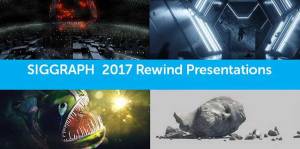
Siggraph training from Cineversity and Maxon is live, tons of full length training seminars from experts in our industry.
Siggraph 2018 Cinema 4D Presentations Vol. 1
Another huge Siggraph has come and gone, but don’t worry, the live presentations were recorded by Maxonand Cineversity and are now free for all of us! Here is the first installment of Siggraph 2018 Cinema 4D training by the best in our industry. Enjoy!
Siggraph 2018 Cinema 4D Presentations Vol. 2
Another huge Siggraph has come and gone, but don’t worry, the live presentations were recorded by Maxonand Cineversity and are now free for all of us! Here is the second installment of Siggraph 2018 Cinema 4D training by the best in our industry. Enjoy!
Siggraph 2018 Cinema 4D Presentations Vol. 3
The third batch of Siggraph 2018 Cinema 4D presentations that were recorded by Maxon and Cineversity.
Siggraph 2018 Cinema 4D Presentations Vol. 4
Siggraph 2018 Cinema 4D Presentations Vol. 5
Siggraph 2018 Cinema 4D Presentations Vol. 6
Siggraph 2018 Cinema 4D Presentations Vol. 7
Webinars On-Demand
Greyscalegroilla Tools + Training for Cinema 4D
- The difference between the Physical Renderer, The Arnold Renderer and the Octane Renderer
- The Best Crimean 4D Tutorial Ever
- free tutorial on how to create an entire project from beginning to end
- feature videos
Helloluxx: Cinema 4D Tutorials
Pelfusion: 40 LATEST CINEMA 4D TUTORIALS AND BEST TECHNIQUES
envatotuts: Quick Tip: Create A Basic Render Setup Using Cinema4D
NAB 2017 C4D Free Training Series Pt. 1
NAB 2017 C4D Free Training Series Pt. 6
NAB 2017 C4D Free Training Series Pt. 7
NAB 2017 C4D Free Training Series Pt. 8
BREAKING NEWS: Unreal Avalanche is now Motion Design in 5.4!
Massive Free 3D Printable Scanned Sculpture Collection
Wow, I found the mother load of 3D scanned sculptures!! Can’t believe I didn’t know about this till now. The site is called My Mini Factory and part of their initiative is called “Scan the World.” They currently have over 12,000 free 3D models of famous sculptures! This is an unbelievable resource.
Free Cinema 4D 3D Scanned Models: Heritage Collection
PIXEL LAB: FREE MODELS
To access the freebies, go to www.thepixellab.net/exclusive and use this password: pixellab18
Vegetation Assets: 3D Animated Birch Trees
PLUGINS
- Cinema Plugins.com
- Free C4D Christmas Tree plugin from Nitro4D
- Top 5 Best Free Cinema 4D Pluging
- MeshBoolean Plugin for Cinema 4D. It changes the way you work with boolean objects in C4D. It creates really quick booles with clean faces and has a lot of options including symmetry and beveling the cut edge
- Merk to provide an incredible C4D plugin, called TopoFormer. With TopoFormer you can quickly make parametric geometry on any object. It comes with dozens of presets and everything is easy to use and modify. It’s perfect for quickly adding a lot complexity to your scene.
- Drop your object into the Trypogen plugin and create unique shapes instantly. With multiple mesh modes and subdivision types you can toggle through organic smooth objects or hard surfaced chiseled effects. Throw in a fracture object or a cloner and you can get incredible inner detail or spiraling objects that look beautiful and intricate. Best of all the plugin is incredibly fast and snappy in the viewport. Make sure to watch the overview/tutorial videos on the launch page to see it in action.
- It’s the old C4D classic Drop to Floor plugin which has been a staple part of our toolset for years now. Since R20 changed up it’s script compatibility the old Drop to Floor is no long operational but AJ Haines created an update for us which is great news! Drop to Floor is a simple button to take any object and place it exactly on the floor plane. You’d be surprised how many times you use it!
- Latest collaboration plugin called Topowire for C4D. With a few clicks you can create dangling cables that are dynamic and connected to any objects you want. It’s incredibly fun to use, quick to set up and will save you a lot of time and headache. Say good-bye to slowly belting the end points of your splines to objects.
- DEM EARTH 3
I’ve just got word that DEM Earth has a huge update. Now included is a feature called Poly Importer where you can import country, county and regional borders as splines! This is a huge feature which I’m really excited to see.
- Hide and Seek: Quickly find anything in your scene, Search for large groups of objects or specific items, Greatly speed up your workflow on any project, Isolate the objects you’re working with, Create object selection groups to come back to at any time
Hide and Seek is our new project management plugin for Cinema 4D! Quickly find anything in your scene, isolate pieces you’re working on or create infinite selection groups. Save a ton of time by never digging through your object manager again! With Hide and Seek you can:
- Quickly find anything in your scene
- Search large groups of objects or specific items
- Greatly speed up your workflow on any project
- Isolate only the objects you’re working with
- Create object selection groups to come back to at any time
- Never dig through the object manager again!
NEON SIGN GENERATOR Octane resource for you to check out. Aaron Covrett created a Neon sign generator for Cinema 4D Octane.
PRODUCTS
When you make any purchases we now have a login system so that you can come back, login and find your download links any time in the future. Just click on the “My Account” tab on the top bar and you can find the customer log in system. Going forward this should help save you a lot of headache!
Best Software 2018: PureRef for Motion Design References.
In this tutorial/overview I’ll show you my favorite piece of software for 2018. It’s free or choose your price from pureref.com. PureRef is a great way to lay out and navigate all of your design references and inspiration. A key part of starting a new project is gathering inspiration and references to guide you with texture, color, typography, various elements etc. This is also a great way to collaborate with other artists or make sure you’re on the same page with your client. Enjoy!
NAB 2018 Sale Checkout Codes To get 30% off anything in the store: NAB30 To get 50% off of the Mega-Pack: NAB50
A bubble project file Remco made, plus the included 8 bubble materials. Also included is a download of the rendered out bubbles sequence with an alpha channel so you can use it quickly in AE.
Free UI Grids AE preset last week, and since then the developer came out with a new update! The update is awesome, it now has strokes and color options for everything! It’s fantastico, so make sure to re-download!
BUILDING KIT
Corona Texture Pack 1
EARTH and GLOBES PACK for Videocopilot Element3D
ELEMENTS 3D BUNDLE Videocopilot
ELEMENTS Volume 2 ANIMATIOED CLOTHING PACK
Elements, Motion Design Volume 06: Electricity
EVENTS and VENUES PACK
Fluid Effects: 3D Animated Rivers
FLUID EFFECTS BUNDLE
GRAPHS and CHARTS PACK
HARD SURFACES: The Ultimate Kitbash Pack
LOW POLY SCENERY PACK
LOW POLY EXPLAINER PACK
R20 C4D Node-based material system
MEGA PACK
MESH BOOLEAN
MockUp Pack Volume 1
MOCKUP VOLUME 1: MINIMALIST DESIGN
MOTION DESIGN ELEMENTS: VDB NEBULA
3D MODELS: Rocks and Boulders
MODERN CITYSCAPE COLLECTION
OCTANE LIGHTING ESSENTIALS VOLUME 3
Poly Greeble for Cinema 4D
PROCEDURAL MATERIAL PACK
PRO MATS VOL 1
PXL + DIRT Rig
3D VIDEO PRODUCTION PACK and 2D VIDEO PRODUCTION THEMED MODELS
TopoFormer for Cinema 4D
TOPOWIRE FOR CINEMA 4D
TRYPOGEN FOR C4DV-RAY TEXTURE BUNDLE Included are 450+ premium 2K or procedural seamless materials. The bundle includes both Pack 1, Pack 2 and Pack 3.
TOPOWIRE for C4D With a few clicks you can create dangling cables that are dynamic and connected to any objects you want. It’s incredibly fun to use, quick to set up and will save you a lot of time and headache. Say good-bye to slowly belting the end points of your splines to objects. Whew!
TOPOFORMER for C4D Quickly create parametric geometry on any object!
UBER/NODE MATERIAL BUNDLE: PACK 1 & 2
I’m very excited to bring you the first EVER material packs available for Cinema 4D R20 and it’s new node-based material system! Included are 300+ premium 4K and seamless tileable materials. All materials are either Node or Uber materials that are designed exclusively to work with R20 and beyond. The bundle includes both Pack 1 and Pack 2 and you will save $40 by purchasing them together.
UNREAL MUTATING MATERIALS: STONES
UNREAL MATERIALS FOR MOTION GRAPHICS
NODE TALKS, NODE CONFERENCE SESSIONS ON DEMAND
Tutorial: Lights or Alpha Fringe Showing Up in Octane Fog
In this tutorial I’ll go over Cinema 4D R20 and how you can create some damaged or weathered look on your 3D text. We’ll dive into the new volume modeling workflow and take a quick look at the new Fields. I’m loving R20, it’s awesome! Nice work Maxon!
In this tutorial I’ll show you my favorite updates to the Voronoi Fracture Object in C4D R19. I’ll show you how to use connectors, geometry glue, detailing etc. I’ll show how to isolate parts of your model you want to explode by painting a Mograph Weightmap and adding it to our connector. I’ll show you how to do multi stage explosions. I’ll also walk through the new detailing options to show you how to create more realistic cuts and chunks. Last but not least I’ll show you how to texture the inside and outside of your fractured object. I hope it helps!
In this tutorial I collaborate with renderking to show you how to create an organic logo reveal in Cinema 4D. You’ll learn how to use the Voronoi Fracture object and the new Volume Builder and Volume Mesh objects in Cinema 4D R20. This is a 100% procedural technique you can use to reveal logos, text or any objects. Enjoy!
CB CREATIVE BLOG 15 Cinema 4D tutorials to up your 3D skills
Why You Should Use the Cinema Track Modifier Tag
Cinema 4D Speed Hacks: 5 Must-Know Tips V2
The Ultimate Guide to 3D Fluid Simulation in 2025
Cinema 4D Tutorial: VDB Volume Workflow Hack
Cinema 4D Tutorial: VDB Volume Workflow Hack
Cinema 4D Tutorial: Fluid Simulation with No Plugins
Cinema 4D Tutorial: Organic Reveal with R20 Fields
Cinema 4D to Unreal Engine 4 Workflow Tutorial
A perfect transition for sci-fi, HUD elements, Logos and more
Tutorial: How to Create Looping Animations in Cinema 4D Part 2
In this tutorial I’ll show you some tips and tricks for creating a loop video. I’ll show you how to use the Transfer Tool in Cinema 4D and the Camera Morph tag. Make sure to watch the first tutorial before watching this one, since this tutorial builds on the principles of part 1: thepixellab.net/tutorial-how-to-create-looping-animations-in-cinema-4d
Cinema 4D and After Effects Tutorial: Using Z-Depth for Creative Transitions
3 Quick Tips for Cinema 4D: My Top Picks
C4D Field Forces Tutorial: Create Tendril Particles Without Plugins. In this Cinema 4D tutorial I’ve teamed up with Alessandro Boncio to share a technique for making tendril like particle animations without any plugins. No X-particles required, only some field forces and new volume builder tools in straight up Cinema 4D. I hope you find these concepts useful in your work!
You can find Alessandro at renderking.it
This tutorial will show you how to get up and running with the free new Google Earth Studio. It’s an awesome way to make flyovers, city aerials, helicopter shots etc. Google Earth Studio is a free software you can use right in your web browser which is epic! It includes the ability to render out your animation and even bring camera data and tracking points into After Effects. Learn more about it here. For the licensing documentation go here.
In this tutorial I collaborate with renderking to show you how to create an organic logo reveal in Cinema 4D. You’ll learn how to use the Voronoi Fracture object and the new Volume Builder and Volume Mesh objects in Cinema 4D R20. This is a 100% procedural technique you can use to reveal logos, text or any objects.
In this Cinema 4D tutorial I’ll show you a really cool technique for creating a embedded in cloth look but only using deformers. If you’ve used soft body or cloth you know it’s slow and a bit finicky and sometimes you just want faster results with an easier method. This is a great technique using the collision deformer, smoothing deformer and pose morph in C4D to generate this look quickly.This is a collaboration tutorial with my friend Alessandro Boncio. Check him out at renderking.it
NAB Show 2019: Free Maxon Cinema 4D Training
The NAB Show 2019 training by Maxon and Cineversity has been uploaded! I’m going to list them all below so you can find them all in one spot. It was an epic year, probably one of my favorite as far as the quality and depth of training and artists represented. Get a cup of coffee, turn off your notifications, get out a pad of paper for taking notes and immerse yourself for a full day of learning. That would do wonders for your creative motivation levels if nothing else!
After Effects Tutorial: Free Fast Bokeh for Epic Lens Blurs
In this After Effects tutorial I’ll show you the absolute best and fastest way to add depth of field in post. It’s FREE too! This is the brand new Rowbyte plugin called Fast Bokeh and I’m pretty blown away by it honestly. Get it here: https://www.rowbyte.com/fast-bokeh The free helmet model can be found here. And please, if you enjoy what we’re doing, subscribe to our Youtube channel. It would mean the world to me! https://www.youtube.com/user/thepixellab2011
Tutorial: How to Create Looping Animations in Cinema 4D
In this tutorial I’ll show you some tips and tricks for creating a loop video. This is probably going to get you 100K subs on your Instagram because looping is all the rage! Even if that’s not true it’s a valuable skill to learn because a lot of clients these days want looping gifs and Instagram content so hopefully this will help you out. I’ll show you how to use Before and After to loop within a timeline in C4D. I’ll also show you how to set up your timeline properly so the frame rate plays nicely with animation options like the Vibrate Tag so it loops and Noise shaders so they also loop properly. I hope you find some useful tips in here! Huge thanks to Alessandro Boncio for helping me out with this tutorial. Check him out here: renderking.it
Free C4D “Take Control Effector” Tutorial
In this tutorial I’ll show you the free Cinema 4D Take Control Effector. It’s a fast way to isolate and control a single clone in a cloner object. Super useful!! This is a free download which you can get here: https://aturtur.com/take-control-effector/
Free C4D “Take Control Effector” Tutorial
In this tutorial I’ll show you the free Cinema 4D Take Control Effector. It’s a fast way to isolate and control a single clone in a cloner object. Super useful!! The Take Control Effector lets you assume control over any selected clone. Just select the clone ID and then that clone is linked to the Effector. When you move the Effector the clone moves with it in the Effector’s coordinate space. Besides changing the PSR, you can also modify the clone, set custom clone weight, or change clone color. Take Control Effector works properly with Cloner object when ‘Fix Clone’ checkbox is ticked. There are also checkboxes to activate/deactivate position, scale and rotation linking in a ‘Matrix’ group. There is a handy ‘Go To Origin’ button that moves the effector to the clone’s original position (before this effector is calculated). This is a free download which you can get here: https://aturtur.com/take-control-effector/
Marti Romances: Siggraph 2019 – Maxon Cinema 4D Presentation
Free Cinema 4D Siggraph 2019 Training Videos
HOW TO USE VDB CLOUDS IN UNREAL ENGINE
How to Use Cryptomatte in Redshift, C4D and After Effects
Game changer? I think so! In this tutorial I’ll go over how to use the Cryptomatte feature in Redshift for Cinema 4D and After Effects. It’s an amazing way to quickly deal with mattes/buffers. If you haven’t used Cryptomatte, I HIGHLY recommend adding it to your workflow!
Puzzle Mattes In Redshift for Cinema 4D Tutorial
Are Puzzle Mattes in C4D Redshift better than Cryptomattes? Maybe! We’ll go over it in this tutorial. I hope this, plus the Cryptomatte tutorial, will give you all the matte options you need.
Best Software 2018: PureRef for Motion Design References
In this tutorial/overview I’ll show you my favorite piece of software for 2018. It’s free or choose your price from pureref.com. PureRef is a great way to lay out and navigate all of your design references and inspiration. A key part of starting a new project is gathering inspiration and references to guide you with texture, color, typography, various elements etc. This is also a great way to collaborate with other artists or make sure you’re on the same page with your client. Enjoy.
To find the more complicated project file I mentioned you can go here: https://vimeo.com/161978071
The font I used can be found for free here: https://www.dafont.com/digital-7.font
Wave Displacer – Quick Tip – C4D Octane
MAXON – ZBrush now owned by Maxon previously owned by PIXOLOGIC
There is some ZBrush info under Pixologic
MEDIA 100
Media 100 Suite Now Available FREE, New macOS Sierra Support
MODELLING and SCULPTING
CG SOCIETY
3D MODELS
- Archive 3D
- ASTORZA: cadillac-eldorado53-astorza.fbx
- BECHANCE
- EVOLVED – Software About Tree It. Tree It is an easy to use and powerfull real time 3d tree generator for the simple creation of your very own 3d tree models for your dark basic pro and dark GDK apps and games. All Tree It model exports are 100% free to use with any engine and project, whether it’s darkbasic or unreal 4.
- TREES LIBRARY Use in game engines. You will find a folder called “project_files” where you will find all files needed in order to import to another game engine like Uhnity or other software like blender. Pictures of the trees: https://www.artstation.com/artwork/By4R8 This Package include a UE4 project with all the trees ready to migrate.- More than 100 diferent models- 16 Diferent Spices- Base Mesh + 3 LOD’s and 4 LOD is a billboard- Ready to use In UE4- 3d models and textures for use the trees in other Game engines or software- Trees templates for open in Treeit!
- GUMROAD Free Photogrammetry Model Collection. Some photogrammetry scans I did. Textures are 4-8k. Objects are retopologized to about 50k quads each, includung normal maps for details. There are the single OBJs with textures and a C4D scene with all objects and Redshift shaders applied. Download for free!
- TurboSquid: Unsure of a model? We offer pre-purchase checks of all our models, giving you additional information about the model and seeing how it will work in a game engine. We also offer free conversions to suit your desired application. Bought a model that doesn’t work for you? Let us make it right!
- 3D Objects and Textures Web Resources: Here you can find some web resources for 3D objects (3ds, skp, Ogre XML formats supported) and textures, that can be used in Live Home 3D Standard or Pro Editions. Please note that we cannot guarantee that all 3D models and textures can be properly imported and used in Live Home 3D software. Check the model and texture copyrights on each particular website.
- 3dRender: High-end 3D art and information.
MATRIX QUANTUM Til now, studios and artists could spend large portion of project timeframe to setup sophisticated characters, before shot production actually commences. Quantum Human can speed up this process by literally hundreds of times, if not completely eliminate that process. Since Quantum Human operates natively in Maya while having batch command-line mode, it’s highly customizable to existing production pipelines, or build custom interactive applications. Users can choose which modules to use, instead of entering a whole new application that is often a black box.
RYAN KINGSLIEN
Artist, motivator, and teacher, Ryan is known to ignite the spark in people with his teachings and humor. Also known as an Anatomy Guru and ZBrush Teacher he has taught more than 25,000 students across the globe. An artist himself and life long learner Ryan shares his life experiences and lessons with all his students through webinars, writings and video lessons. He is a programmer, a writer, a digital artist, a traditional artist, devoted husband and father of two lovely kids.
Ryan is the CEO and founder of one of the first online school for Digital and Traditional Arts, ZBrushworkshops and UArtsy where he has taught his artistic strategies and techniques to hundreds of thousands of people.
Ryan was also part of the the team which brought groundbreaking software “ZBrush” back in the day.
SCULPTGL
MOTION GRAPHICS
CGMA Jam Session |Webinar with Nik Hill | Understanding Motion Graphics
Nik Hill’s creative desire to constantly reinvent himself established him as a key motion designer for Marvel’s Avengers: Age of Ultron and Guardians of the Galaxy. In addition, his passion for creating conscious products and experiences inspired him to start Twenty Third C., a gender neutral art and jewellery atelier/lifestyle brand. We are pleased to have him for an upcoming live CGMA Jam Session. In our talk we dive into the creative mindset of Nik Hill and take a look his upcoming workshop Motion Graphics starting April 28. We take a look at how his early influences shaped his artistic path, goals, and his desire to be a student of life. Please enjoy our conversion with Nik. Nik Hill Twitter: @nikilldesign (https://twitter.com/nikilldesign?lang=en) Instagram: @nikilldesign (https://www.instagram.com/nikilldesign/) Facebook: https://www.facebook.com/nikilldesign/
MOVING PICTURE
STAGE TOOLS Smooth pans and zooms on hi-res still images, direct from your Avid’s Timeline
 3d art and animation